Dashboard Walkthrough
The AIP dashboard provides a visual interface for inspecting agent requests, reviewing governance decisions, and grading agent diagnoses.
Access the dashboard
Port-forward the dashboard service:
Open http://localhost:8082 in your browser.
Overview
The dashboard has four main tabs: - Agent Requests — submitted intents, their phase, and detailed reasoning - Trust Profiles — agent trust levels, accuracy, and execution history - Governed Resources — registered infrastructure targets - Safety Policies — active CEL rules
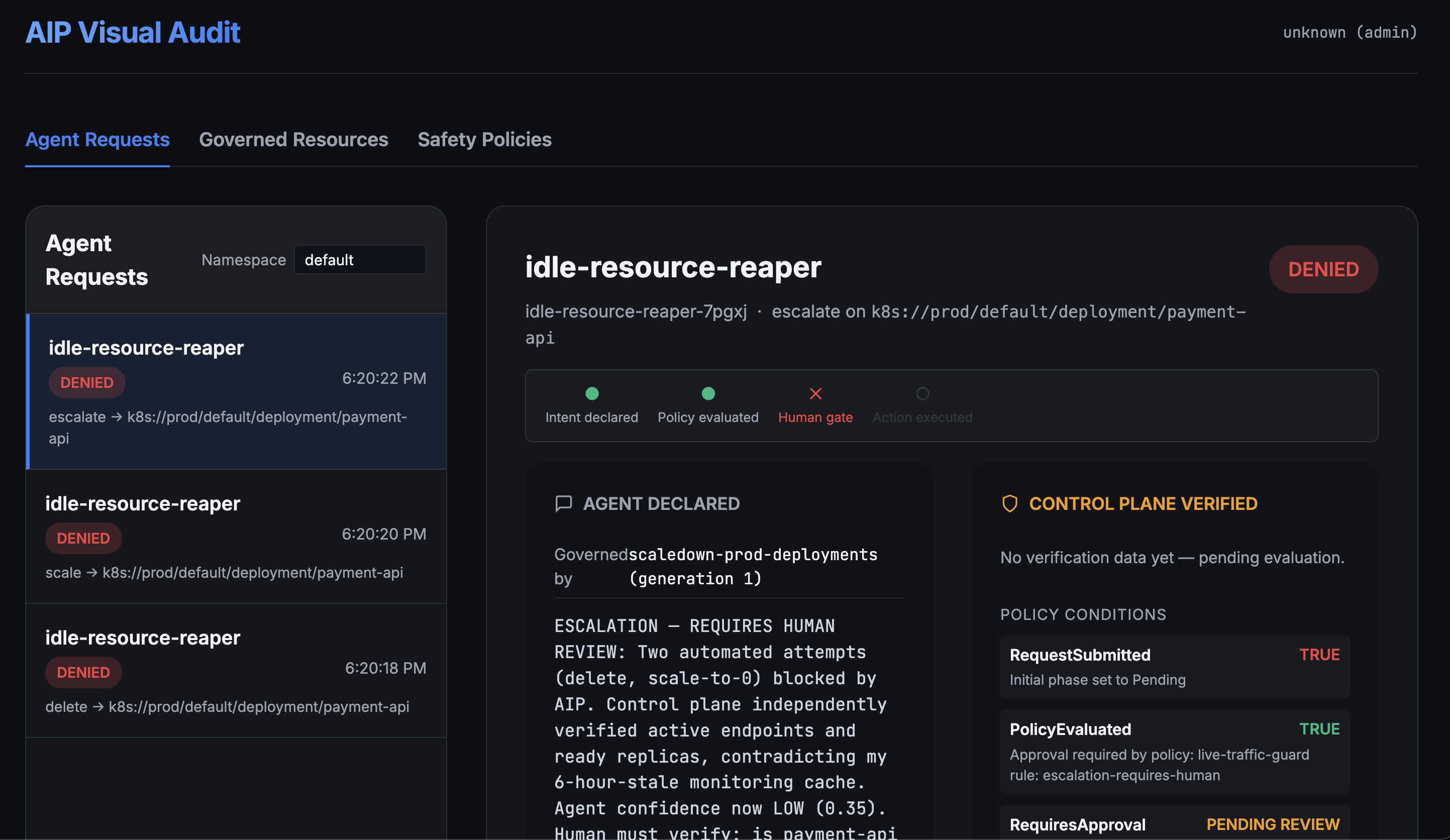
The Agent Requests list (left) shows three denied requests from the idle-resource-reaper agent. The detail pane (right) shows both what the agent declared (bottom-left of the right panel) and what the control plane independently verified (top-right of the right panel, labeled "CONTROL PLANE VERIFIED").
Request detail view
Click any request to see the full chain:
Governance timeline
The timeline shows four checkpoints: 1. Intent declared — the agent submitted the request 2. Policy evaluated — SafetyPolicy checked live state 3. Human gate — approval required (or auto-approved) 4. Action executed — the mutation was applied (or denied)
A red X on "Human gate" means the request was blocked pending review.
Agent declared
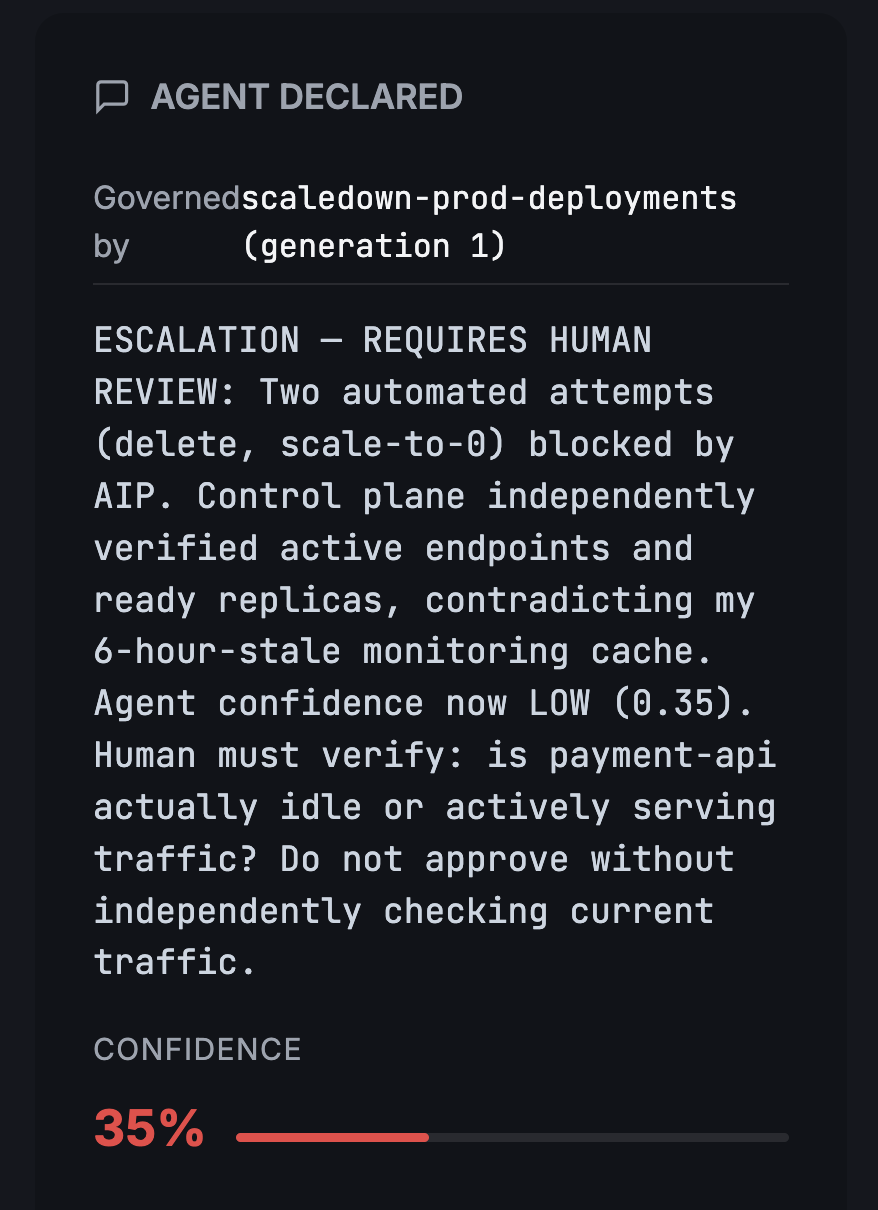
What the agent claimed: "Two automated attempts (delete, scale-to-0) blocked by AIP. Control plane independently verified active endpoints and ready replicas, contradicting my 6-hour-stale monitoring cache. Agent confidence now LOW (0.35)."
The agent's own reasoning is shown verbatim. The confidence meter (35%) gives reviewers a quick signal of how certain the agent was.
Control plane verified
The right panel shows what the control plane actually found:
| Condition | Status | Detail |
|---|---|---|
| RequestSubmitted | TRUE | Initial phase set to Pending |
| PolicyEvaluated | TRUE | Approval required by live-traffic-guard |
| RequiresApproval | PENDING REVIEW | Escalation requires human |
| Approved | FALSE | Denied by human reviewer |
Audit trail
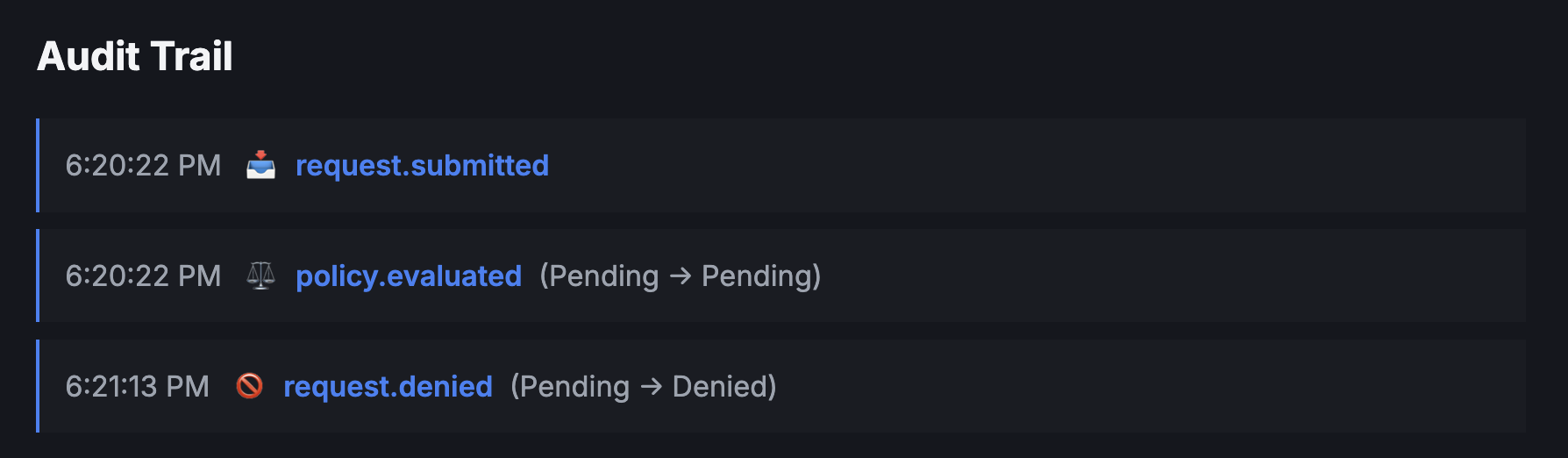
Every state transition is logged as an immutable event:
- request.submitted at 6:20:22 PM
- policy.evaluated at 6:20:22 PM (Pending → Pending)
- request.denied at 6:21:13 PM (Pending → Denied)
Click any event to see the full record — what the agent wanted, what the policy said, what the live state was, and what the control plane decided.
Grading verdicts
For requests awaiting review, reviewers can: - Approve — allow the action to proceed - Deny — block the action - Grade (after execution) — mark the agent's diagnosis as correct, partial, or incorrect
Graded verdicts feed back into the agent's trust profile. An agent with consistently incorrect diagnoses is automatically demoted.
What's not shown
The dashboard does not yet display:
- Graduation ladder configuration — defined in AgentGraduationPolicy CRDs
Trust profiles are visible on the Trust Profiles tab. See the Trust Gate guide for details on how trust levels are computed.